
216
How to Increase Traffic to Your Website: 7 Practical Ways
More visitors only help if they are the right ones: people who might buy, book or get in touch. There are several ways to increase website traffic, and they work best in combination. Search engine optimisation builds steady organic visits over time, paid ads bring visitors from the first day, and social media, PR, email and video reach people who are not searching yet.
Below are seven practical ways to drive traffic to your website, with what each one involves and where to start. If you would like to compare the channels first, our article on sources of website traffic explains how each of them works.
Start with the SEO Basics
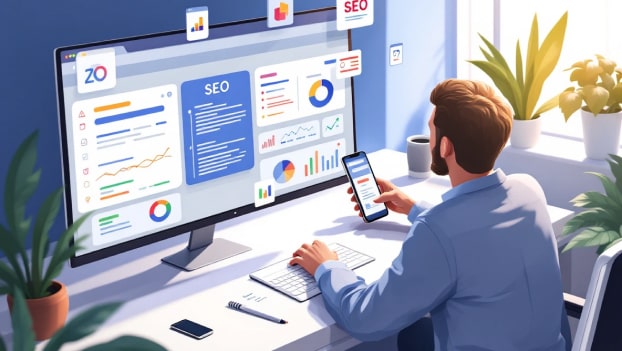
Organic search keeps working after the effort is done, so for most websites it is the place to start. SEO covers the website itself (on-page and technical SEO), its reputation elsewhere (off-page SEO) and, for businesses that serve an area, local SEO. Begin with the competitors that rank for your main searches: how their sites are organised, what content they publish and which pages bring them visits. Our guide on getting your website to the top of Google covers this step in more detail.
Write High-Quality Content
Good content is what makes people stay, come back and share your pages. This covers service and product pages, the about page, blog articles and FAQs. Check each piece against a few questions:
- Is it original? Copied or lightly reworded text gives Google no reason to rank your page. Add what competitors do not have: your own experience, examples, photos, prices or data;
- Is it accurate? Check facts, show who wrote the page and link to reliable sources where it helps;
- Is it complete? The reader should find the answer without going back to the search results;
- Has a person reviewed it? Google does not ban AI-assisted writing, but it treats mass-produced pages without added value as spam. Check any AI draft for accuracy and add your own knowledge before publishing.
A steady plan of useful articles is the core of content marketing and one of the most dependable ways to bring in organic visitors.
Choose Keywords and Related Phrases
To appear for the right searches, use the words your customers use. Start with keyword research in tools such as:
- Google Keyword Planner;
- Google Search Console, for searches that already bring you visitors;
- Ahrefs Keywords Explorer;
- Semrush;
- Ubersuggest.
Group the phrases by topic and give each group its own page. Use the main phrase together with related terms and natural variations: Google understands synonyms and context, so there is no need to repeat one exact phrase. Mix popular general searches with longer, more specific ones, and add local phrases if you serve a particular area. Avoid keyword stuffing, which is against Google’s spam policies.
Add Internal Links
Internal linking helps visitors and search engines move around your website. Google advises that every page you care about should have a link from at least one other page on your site. Useful links go:
- from articles to the related service or product pages;
- from service pages to guides, case studies and FAQs that answer common questions;
- to key pages such as contact and pricing, from the places where readers need them.
Use descriptive anchor text that tells the reader where the link leads, and keep keywords in it natural.
Earn Backlinks from Trusted Sources
Links from other reputable websites send visitors directly and help Google judge that your content is worth showing. Ways to earn them:
- guest articles and expert comments for blogs and media in your field;
- joint content with partners, suppliers and trade associations;
- resources others want to cite, such as guides, research or checklists;
- local news sites, community organisations and events in your area.
Paid placements are acceptable to Google only when the link is marked with rel=”sponsored” or rel=”nofollow”. Buying links that pass ranking credit and large-scale link exchanges break its spam policies. A few relevant, trusted sites are worth more than many weak ones.
Optimise Your Website for Mobile
Many visitors will see your website on a phone first, and Google uses the mobile version for indexing and ranking. Use responsive design, so pages adjust to any screen, and make sure the mobile version has the same content as the desktop one. Pages should also meet the three Core Web Vitals:
- Largest Contentful Paint (LCP), loading: 2.5 seconds or less;
- Interaction to Next Paint (INP), responsiveness: 200 milliseconds or less;
- Cumulative Layout Shift (CLS), visual stability: 0.1 or less.
To speed up mobile pages, compress images and use WebP or AVIF, set up caching and consider a content delivery network.
Keep Visitors Engaged
Traffic is only useful if people stay long enough to act. Google Analytics 4 counts a session as engaged if it lasts longer than 10 seconds, includes a key event or has two or more page views, and its bounce rate is the share of sessions that were not engaged (Google Analytics Help). To keep more visitors engaged:
- make sure pages load quickly and there are no broken links or 404 errors;
- give every page a clear call to action: call, book, buy or read next;
- use a simple layout, readable fonts and clear navigation;
- link to related pages so readers can continue;
- break text up with headings, lists, tables and images;
- add interactive elements, such as calculators or comparison tools, where they help.
Improve Your Local Search Presence
If you sell in a particular area, local SEO helps you appear when nearby customers search, including in Google Maps. The main steps:
- mention your town, county and the areas you serve on service pages and in titles, the way people search;
- complete your Google Business Profile and keep it up to date;
- keep your name, address and phone number the same on your website and in directories such as Yell and Thomson Local;
- ask customers for reviews on Google and other platforms, and reply to them;
- get mentions and links from local news sites, organisations and events;
- publish local content, such as news, guides or case studies about your area.
Add Schema Markup
Schema markup is structured data that tells search engines exactly what a page contains: a business, product, article, event, recipe or FAQ. It uses the schema.org vocabulary, and Google recommends the JSON-LD format. You can write the code yourself, use a generator, or rely on a CMS plugin such as Yoast SEO for WordPress.
Structured data can make a page eligible for rich results, such as star ratings, prices or event dates in the search results, which help your listing stand out. Google does not guarantee rich results, and the markup has to follow its structured data guidelines.
Track Results in Google Analytics and Search Console
Measure what changes after each step, so you know what works. Website analytics in Google Analytics 4 shows how visitors behave on the site, and Google Search Console shows how your site appears in Google. Metrics worth tracking:
- users, sessions and engaged sessions;
- engagement rate and average engagement time;
- traffic by channel: organic search, paid, social, email, referral and direct;
- key events, such as enquiries, calls and purchases;
- clicks, impressions, average position and click-through rate in Search Console;
- the search queries that bring visitors to your site;
- indexing errors and the Core Web Vitals report;
- the devices people use.
If you would like specialists to handle this work, see our SEO services.
Use Online Ads for Quick Traffic
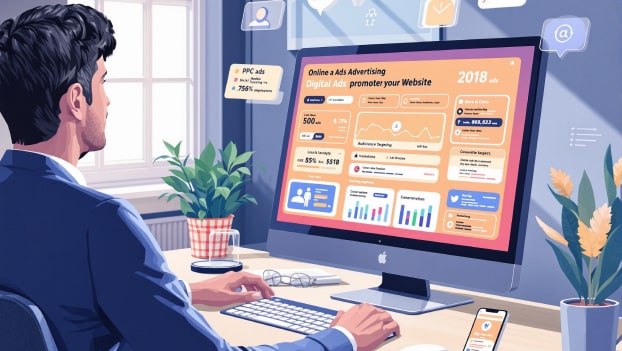
SEO takes months to build up, while paid advertising can bring visitors from the day a campaign starts. It works well alongside organic traffic: for a new website, a seasonal offer or searches where you do not rank yet. The main types:
- Search ads (pay per click). Your ad appears in Google or Bing when people search for chosen keywords, and you pay when someone clicks. Our Google Ads management page explains how we run these campaigns;
- Social media ads. Facebook, Instagram, TikTok and LinkedIn let you target people by location, interests and other details, which suits products people are not searching for yet. See our Facebook and Instagram ads service;
- Display ads. Banners on other websites and apps, often used for remarketing to people who have already visited your site;
- Influencer partnerships. Paid posts or videos from creators on YouTube, Instagram or TikTok whose followers match your customers.
Set a budget and track enquiries and sales from each campaign in Google Analytics 4, so you can stop what does not pay off.
Engage Your Audience on Social Media
Social media helps people discover your business, remember it and come back to your website. Pick one or two platforms your customers actually use and do them well:
- Facebook, for local communities, groups and events;
- Instagram, for visual products, services and behind-the-scenes content;
- TikTok, for short videos that reach new audiences;
- LinkedIn, for business-to-business services.
Post regularly, mix useful tips, examples of your work and offers, and reply to comments and messages. Put a link to your website in the profile and in posts where it helps, and add UTM tags to those links so Google Analytics shows which posts bring visitors. Consistent social media marketing builds an audience you can reach again and again.
Build Your Reputation with PR
Public relations brings mentions, links and visitors from places your customers already read and trust. What to do:
- offer stories, comments and data to local newspapers, regional news sites and trade publications;
- speak at events, webinars and podcasts in your field;
- write expert articles for industry websites and blogs;
- work with complementary businesses on joint offers, events or content;
- answer journalists’ requests for expert comment, for example through ResponseSource or the #journorequest hashtag.
Each mention with a link brings referral visitors and supports your SEO.
Start Email Marketing
Email brings people back to your website: customers, subscribers and people who started an order but did not finish it. Start with a list of people who agreed to hear from you, a plan for what you will send and a few automated sequences. Useful types of email:
- a welcome series for new subscribers;
- regular newsletters with new articles, tips and offers;
- triggered emails, such as order updates or reminders to book again;
- reminders about products left in the basket.
In the UK, marketing emails to individuals generally need their consent under PECR. The exception, known as the soft opt-in, covers existing customers who bought or asked about similar products and were given a simple way to opt out. Every message must show who it is from and include an easy way to unsubscribe (ICO guidance). Send at a steady rhythm, keep subject lines honest and test each email before sending, so it reaches the inbox and does not annoy readers.

Publish Articles on Medium
Medium is a blogging platform with its own readers, where you can publish expert articles under your name or your brand. It helps people find you beyond your own website. Ideas for articles:
- lessons from your projects and day-to-day work;
- expert opinions and practical advice in your field;
- your own research, surveys or data.
Add a link to your website in your profile and in articles where it helps the reader. To avoid competing with yourself in search, publish on your own blog first and then import the article: Medium says imported stories automatically get a canonical URL pointing to the original. Your own website should stay the main home for your content.
Create Useful Video Content
Video helps you explain products and services that are hard to describe in text, and it gives people another way to find you. Ideas: product demos, how-to guides, answers to common questions, customer stories and a short introduction to your team. Publish videos on YouTube, where many people search for how-to content, embed them on the relevant pages of your website and add a link to your site in the description.
Keep the quality good and add your branding, a clear title, a description and captions. Host the video on YouTube or Vimeo and embed it on your page, ideally with a player that loads only when the visitor clicks, so the video does not slow the page down.
Need Help Getting More Traffic?
VOLL Digital Agency has worked on websites, SEO and online advertising since 2008 and is a Google Partner agency. If you would like advice on which channels suit your business, tell us about your website.
FAQ
Which tools show how my website works on mobile?
Google PageSpeed Insights tests a page on a simulated phone and shows Core Web Vitals from real users where there is enough data. Lighthouse and the device toolbar in Chrome DevTools let you check layouts at different screen sizes. It is still worth testing on a few real phones.
How can I check that schema markup works?
Google’s Rich Results Test shows which rich results a page may be eligible for and lists any errors. The Schema Markup Validator at validator.schema.org checks all schema.org markup. After launch, the enhancement reports in Google Search Console show problems across the whole site.
Which tools help me analyse competitors?
Similarweb, Semrush and Ahrefs estimate competitors’ traffic, keywords and backlinks. Free versions show limited data and paid plans give more detail. Google Analytics 4 and Search Console only cover your own website.
How can I make my website easier to use on a phone?
Keep the menu short and simple, make buttons large enough to tap, put the main action, such as call or book, within easy reach, keep forms short and avoid pop-ups that cover the content.
