Support or Migration: Which Does Your Joomla Site Need?
If the site does its job and your team is used to the Joomla admin panel, ongoing support is usually the sensible choice: we keep Joomla and its extensions up to date, fix errors and keep the site safe.
A migration makes sense when the site needs a major upgrade anyway, key extensions are no longer maintained, the design and features no longer fit the business, or it is hard to find someone to work on it. We compare both options with you, including what each is likely to cost over the next few years.

We start with a review: the Joomla version, the template, every installed extension, the hosting and the backups. You receive a list of what needs attention and what each option would involve.
If you stay on Joomla, template overrides let a developer change how pages and modules are displayed without editing the core files, so later updates do not undo the changes.
Joomla Support and Maintenance
Joomla maintenance keeps your site secure and working between bigger projects. We test Joomla core and extension updates on a copy of the site first, then apply them to the live site.
Every extension is code that has to be trusted and kept up to date, and some handle your customers’ personal data. We check that each one is still maintained and replace or remove the ones that are not.
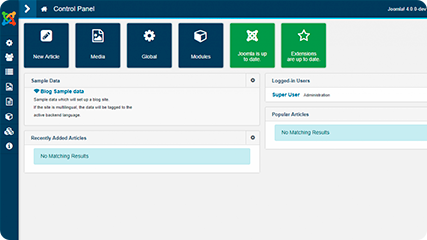
We also fix errors, update content and templates, and keep the admin panel working the way your team expects.
Joomla security, backups and hosting
We set up regular backups stored away from the site and check the site after every update. If you need new Joomla hosting, we move the site for you and check the domain, email settings and SSL certificate before and after the switch.
Joomla support usually includes:

backups
updates
spam
When a feature breaks or a new one is needed, our Joomla developers fix or extend the component, module or plugin behind it.
Support is agreed with you as a set of tasks or as regular monthly work, and is paid separately from any migration.
SEO Checks Before and After a Migration
A migration changes the platform behind your site and often its URLs. Without a plan, pages that rank today can drop out of search results. Before the move we record:
and the search
traffic it brings
meta descriptions
and alt text
Each old URL is mapped to its new address, and a 301 redirect sends visitors and search engines to the right page.
Before launch we test the redirects, forms, page speed and how the site looks on phones and desktops.
After launch we check the page indexing report in Google Search Console and fix any errors and broken links that come up.
For the wider picture, read our article on how to move a site to another CMS, hosting or domain.

Joomla to WordPress or Joomla to Laravel?
Joomla to WordPress migration suits most company websites, blogs and content sites. WordPress has a wide choice of themes, plugins and developers, and editors find it easy to learn. See our WordPress website development services.
Joomla to Laravel suits sites with custom logic: member areas, booking or ordering rules, integrations with your own systems. Laravel is a PHP framework, so the site and its admin panel are built around your processes. Read more about Laravel website development.
Staying on Joomla is also an option: an upgrade to Joomla 6 keeps the admin panel your team knows. The drawbacks are a smaller pool of developers and extensions than WordPress has, and every major version upgrade needs planning and testing.
What Affects the Cost of a Joomla Migration


Need Joomla support or a migration?
Send us your site address and a few words about what you need, and we will reply with the options and an estimate.
How a Joomla Migration Works
Many Joomla sites started small and grew over the years, with content, extensions and template changes added along the way. A migration moves all of this to the new platform in planned steps, and the old site stays live until the new one is ready. Joomla 6 is the current major version, and the 5.x series had its last bugfix release in October 2026, with security updates only for one more year.
If your site runs Joomla 5 or an older version, now is a good time to choose between an upgrade to Joomla 6 and a move to another platform. To migrate Joomla to WordPress or Laravel, we plan the new structure first, then move the content and set up the redirects.
Joomla migration covers:
and plan
media transfer
and 301 redirects
and features
and launch
How support and migration projects start

For support work, we take a full backup before changing anything. For a migration, the new site is built and tested on a staging address, then launched with the redirects in place.
Timing depends on the size of the site, and we agree it with you before work starts.
Need help with a Joomla website?
Send us the address of your site and tell us what you need: support, a hosting move or a migration. We will reply with the options, what they are likely to cost and how long they will take.
You may also be interested in: