
349
How to Create a Website: A Step-by-Step Guide
A website is often the first place people check before they call, visit or buy from a business. If you are wondering how to create a website, the process is easier to manage when you split it into steps: decide what the site is for, choose the tools, plan the pages, prepare the content, then test and launch.
This guide walks through each step in order. It suits owners who want to build a website themselves with a builder, and those who want to understand the work before they hire a developer.
Start With the Goal of Your Website
Before you choose a builder or a design, answer one question: what should the website do for your business? Bookings, enquiries, online sales, or information for existing customers each lead to a different kind of site. If you plan to hire developers, this answer goes into your website brief, so it pays to write it down early.
Most websites fall into one of the groups below.
| Goal | What the site does | Examples |
| Business | Presents and sells services or products | Company websites, online shops, websites of local trades and professional firms |
| Information | Publishes articles, guides or news on a topic | News sites, blogs, online directories |
| Community | Lets users talk to each other | Forums and member communities built around an interest or a place |
| Education | Publishes or sells courses and learning materials | Course platforms (cookery, yoga, coding), websites of schools, colleges and training providers |
| Entertainment | Publishes content people enjoy in their free time | Review blogs, video, gaming, humour and music sites |
Then make the goal specific. The SMART method (specific, measurable, achievable, relevant, time-bound) helps here. “Get more customers” is a wish; “receive 20 quote requests a month through the website by the end of the year” is a goal you can check.
Next, describe who the website is for. A simple customer profile keeps design and content decisions focused. Note:
- age range;
- where they live or work (one town, a region or the whole UK);
- job, interests and what they already know about your field;
- what they need and which problems they want solved;
- budget or income level;
- what makes them choose one business over another.
Competitors help fill the gaps. Tools such as Similarweb, Semrush and Ahrefs give an estimate of a competitor’s traffic, where visitors come from and which searches bring them to the site. Compare what you learn with your own services and decide what your website must answer that theirs does not.

Choose the Type of Website You Need
The goal and the audience point to the type of website. The type, in turn, shapes the features, the design and the way you will attract visitors. The most common options are:
- Blog. Personal or focused on one topic. Posts are the main content and are grouped into categories, so the site needs regular updates and a simple way for readers to comment, subscribe or share;
- Online shop. Many pages for products and categories, a basket, payments and delivery options. Clear navigation and filters matter here. See how we approach e-commerce website development;
- Brochure website. A few pages about the business, its services and contact details. Quick to create, and it needs a contact form, a map and basic SEO from the start;
- Company website. Separate pages for each service, case studies, team and contact information, built to bring in enquiries. More on this in our page on company website development;
- Information, education and entertainment platforms. A lot of content in different formats (text, images, video), so easy movement between sections and search on the site are important. Comments, ratings or quizzes keep visitors involved.
Pick a Website Builder or CMS
The easiest way to make a website without coding is a website builder or a content management system (CMS). You start from a template and add your own content, so you do not build the structure from scratch. The platform you choose decides how far you can customise the site, which features you can add and who looks after security. When you compare options, look at:
- Ease of use. A clear editor and good help pages or video tutorials save hours;
- Security and reliability. HTTPS, regular updates, backups and stable uptime. For a shop, secure payments are a must;
- Templates and design freedom. A good choice of templates and the option to change layouts, colours and fonts without code;
- Features for your type of site. Some platforms suit certain sites better: Shopify is built for online shops, while WordPress works for blogs and company websites and grows with plugins. Check what the platform offers for galleries, forms, bookings or payments before you commit.
Choose Your Domain Name
A domain is your website’s address, for example yourbusiness.co.uk. A good name is short, easy to spell and say, and close to your business name, so people remember it and can type it after seeing it on a van or a leaflet. The ending matters too:
- “.co.uk” and “.uk” tell visitors you are a UK business;
- “.com” suits businesses that work internationally;
- sector endings such as “.shop” or “.studio” are available, but are less familiar to many people.
Have a few options ready, because your first choice may be taken. Before you buy, make sure the name does not use someone else’s brand: you can search registered UK trade marks on GOV.UK. Our guide on how to buy a website name covers registration step by step.
Choose a Hosting Provider
Web hosting is where your website’s files are stored and served to visitors. Hosting providers own or rent servers that stay connected to the internet. Website builders such as Wix, Squarespace and Shopify include hosting in their plans; with self-hosted WordPress or a custom site, you choose a host yourself. The main types are:
- Shared hosting: many websites share one server. The cheapest option, fine for small sites with modest traffic;
- VPS (virtual private server): a reserved part of a server with its own resources, for growing sites;
- Cloud hosting: resources spread across several servers and adjusted as traffic changes;
- Dedicated server: a whole server for one client, for large websites with heavy traffic.
The type of hosting and the provider affect how fast your pages load, how often the site is unavailable and how well it copes with attacks. When you compare providers, check their uptime record, where their servers are (servers in the UK or nearby help UK visitors), whether daily backups and an SSL certificate are included, and how quickly support replies.
Match the Design to Your Brand
Next, make the template look like your business. A website that matches your brand is easier to recognise and to trust, and it sets you apart from competitors using the same template. Customisation usually covers:
- a colour scheme based on your brand colours, with enough contrast for text to be easy to read;
- your logo and a small browser icon (favicon);
- a visual style: photos of your own work and team usually say more than stock images;
- fonts that are easy to read on a phone, normally no more than two families.
If a template cannot give you the look you need, a designer can create one around your brand. See what is involved in web design.
Plan the Website Structure
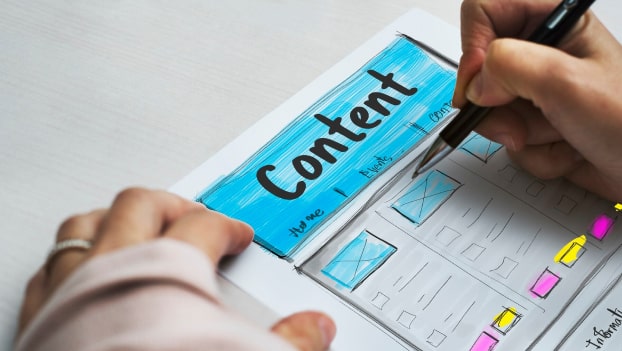
Think about the website from the visitor’s side. Where will they land, what will they look for and how many clicks will it take to find it? Clear sections and simple navigation help people reach the right page or product quickly. If they have to hunt for information, many will leave and contact a competitor.
Draw a site map with every section and page, then plan a short main menu around it. Sketching key pages as wireframes before design shows early whether the layout works. These tools help you plan the structure:
- MindMeister. Mind maps that show the hierarchy of pages, with ready-made templates;
- Miro. An online whiteboard for site maps and simple wireframes, handy when several people give feedback;
- Trello. Suits people who prefer lists and cards; later you can use the same board to share tasks with a team;
- Lucidchart. Diagrams and flowcharts with many templates, including site maps.
Write and Prepare the Content
Content is what visitors come for: text, photos, videos and documents that explain what you offer and answer their questions. The format depends on the type of website, but the content should always be easy to understand. Use images and short videos alongside the text where they help. Write each page around the words people use when they search for that service, so that search engines such as Google understand what the page is about. Our article on how to build a website with SEO in mind explains how to plan this from the start. To prepare materials, you can use:
- Google Docs or Microsoft Word for text, so others can comment before it goes on the site;
- Adobe Photoshop, Canva or similar programs for photos and graphics;
- iMovie, Final Cut Pro or Filmora for video editing.
Website builders and CMS platforms have their own editors. In most of them you drag blocks onto the page and fill them with text, images or video; in others you add content through the admin panel.
Test, Preview and Publish
Do not launch the website the moment the last page is filled. Check it properly first:
- Function. Every link leads to the right page, and forms, buttons and payments work. Send a test enquiry and, for a shop, place a test order;
- Devices and browsers. Open the site on a phone, a tablet and a computer, in Chrome, Safari, Edge and Firefox;
- Speed. Pages should load quickly. PageSpeed Insights shows your Core Web Vitals, the loading, responsiveness and visual stability measures that Google describes on web.dev;
- Security. HTTPS works on every page, admin passwords are strong, and the platform, theme and plugins are up to date;
- Privacy. Add a privacy policy and a cookie notice. Advertising and tracking cookies need visitors’ consent before they are set; analytics used only to improve the site can run without consent if you explain them clearly and offer a simple way to opt out, as the ICO guidance on cookies and similar technologies explains;
- Content. No spelling mistakes, placeholder text or broken images and videos.
Then publish. On a website builder this is usually one button. On self-hosted platforms, the files are uploaded to your hosting and the domain is pointed to the server.
Promote Your New Website
A new website does not get visitors on its own. Connect Google Analytics 4 and Google Search Console from day one so you can see where visitors come from, then combine several channels:
- Search engine optimisation. Pages built around real searches bring visitors over time. Local businesses should also set up a Google Business Profile;
- Social media. Profiles on Facebook, Instagram, LinkedIn or X, depending on where your customers are, with regular posts;
- Email newsletters. Useful news and offers for people who have agreed to receive them;
- A blog. Helpful articles answer your customers’ questions, bring in new visitors and make your name familiar;
- Paid advertising. Google Ads, Meta Ads, partner websites or bloggers in your field bring visitors from the first day.
Which channels work best depends on your business and your audience. Watch the results in analytics and move budget and time towards what brings enquiries.
Tips for Building a Better Website
A good website comes from planning. Take time to set the goal and describe your audience, write the plan down in as much detail as you can and look at what competitors do well. Keep the design simple and easy to use on a phone, prepare content that answers real questions and test everything before launch. After launch, keep updating the site: check analytics, refresh old pages and add new ones as your business changes.
Building a website yourself is realistic for a small site, but it takes time and some skills. If you would prefer to hand it to a team, VOLL has built websites since 2008. Tell us what you need through our web development page and we will explain the options that suit your project.
FAQ
What are the most popular website builders?
Widely used options include WordPress, Wix, Squarespace, Shopify and Webflow. Shopify is built for online shops, while WordPress, Wix and Squarespace suit most small business websites.
Which tools can help me create a profile of my website's typical customer?
A simple document or spreadsheet is enough to start. If you want a template, HubSpot’s free Make My Persona tool and Xtensio help you structure the profile and share it with your team.
How much does website hosting cost?
It depends on the type of hosting and the provider. Shared hosting is the cheapest, VPS and cloud plans cost more, and a dedicated server costs the most. Website builders include hosting in their monthly plans. Compare what each plan includes, such as backups, SSL and support, as well as the price.
Where can I advertise a new website?
Popular options are Google Ads, Microsoft Advertising (Bing), Meta Ads for Facebook and Instagram, LinkedIn Ads for business audiences and Pinterest Ads for visual products.
